
Getting started with the FluidityIQ portfolio analysis features
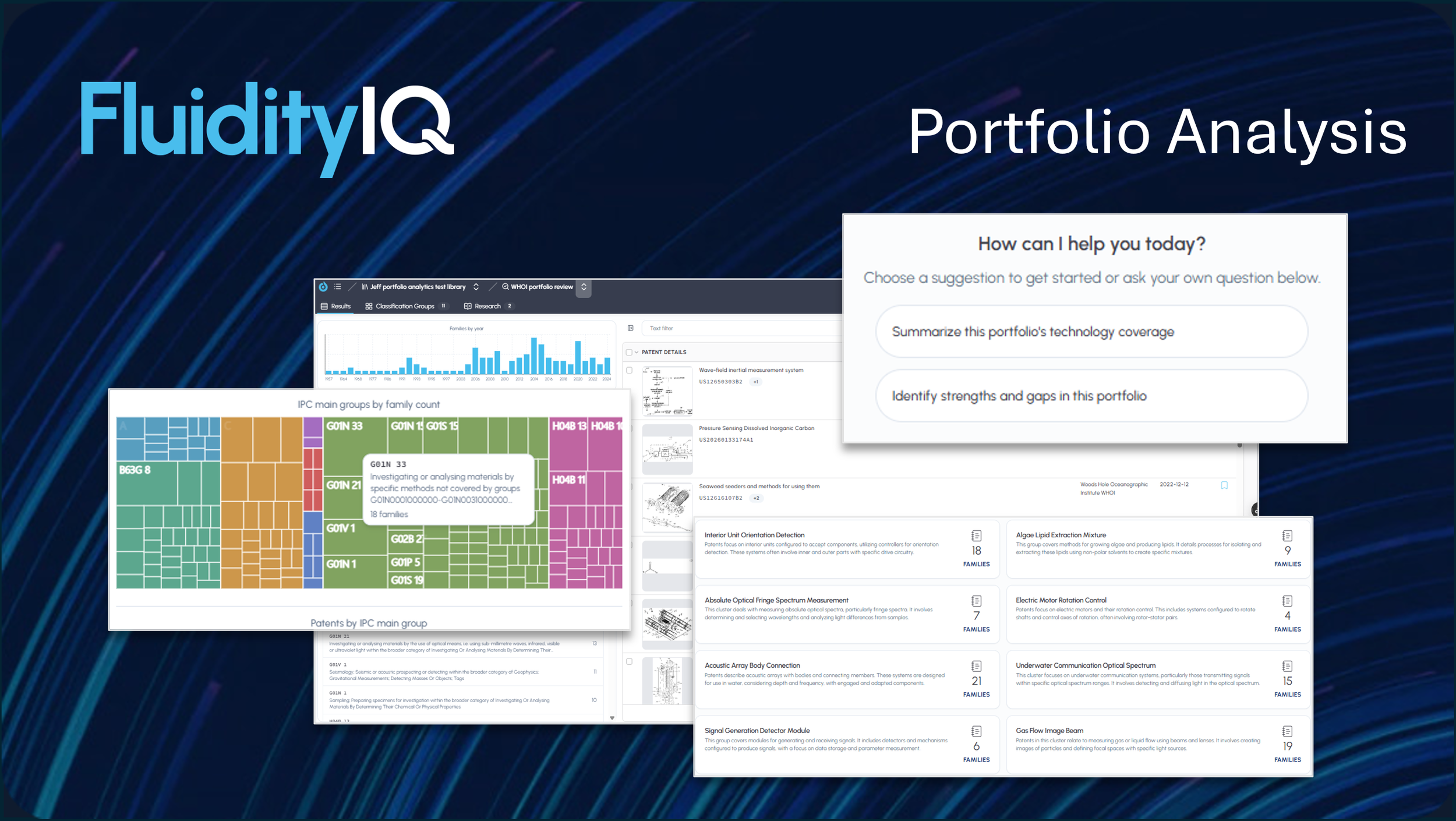
Portfolio analysis to support surveillance, portfolio pruning and strategic planning
A step-by-step guide to assessing and analyzing a patent portfolio
Portfolio analysis is a third way to build a corpus in FluidityIQ. Where a utility search starts from an invention description and a design search starts from an image, a portfolio lets you define the corpus directly — by keying in a list of patent numbers, uploading a spreadsheet, or searching and selecting by assignee. What you create is a first-class FluidityIQ workspace, so the same analytics and Deep Research Agent you already use are ready to run against it the moment it's built.
There's nothing new to enable. Portfolio analysis appears in the application at login and uses the same pay-as-you-go model as the rest of the platform — you build a portfolio when you need one and pay only for the portfolios you build. This guide walks through creating your first portfolio, reviewing its analytics, and using the agent to answer coverage and gap questions.
Getting started.
Using the portfolio analytics capabilities is as simple as starting a new search. Like utility and design searches, a portfolio analysis is linked to a Private Innovation Library. First, either open an existing library or create a new library.
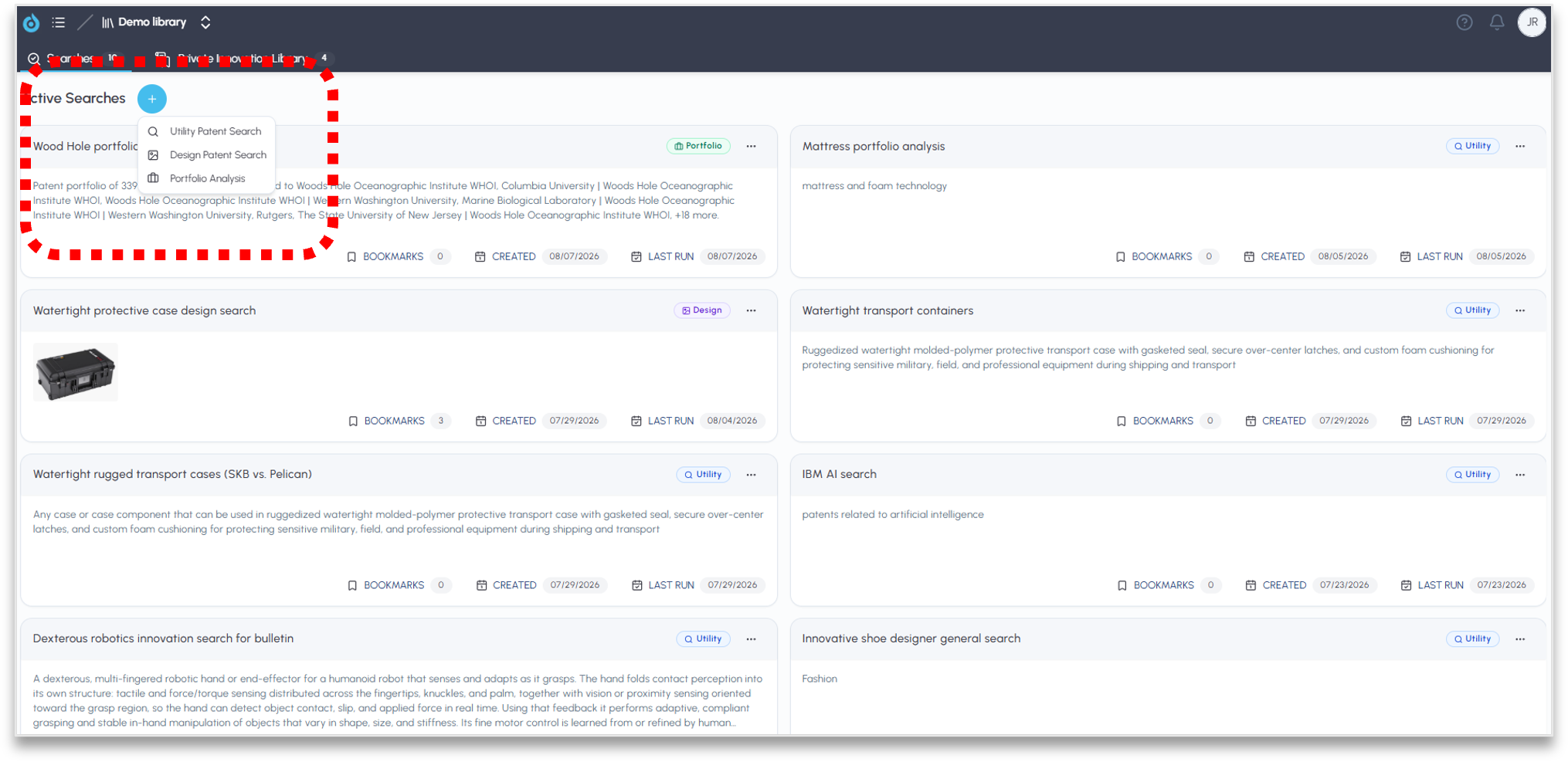
Click the plus sign next to active searches to create a portfolio
Creating a portfolio.
To create a new portfolio, simply click on the blue plus sign in the upper lefthand corner of the screen after logging in. You will notice that there are now three options: Utility Search, Design Search and Portfolio Analysis. Click on Portfolio Analysis.
This will open a screen labeled Create a Portfolio Analysis. Here, you can name the portfolio, assign it to a specific library and use many filters to fine tune your portfolio selection. You may create a portfolio either by uploading a .csv or .txt file, by conducting an assignee search or by entering patent IDs directly into the allotted space.
Click Create Portfolio Analysis in the lower righthand corner once ready.
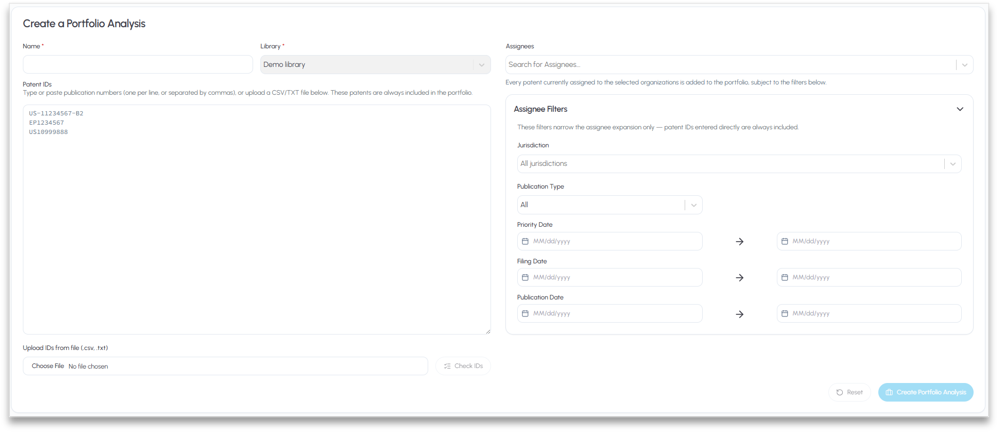
Upload a file, search for assignees or key enter patent IDs to create a portfolio
New embedded analytics and IPC code filtering.
Many of the same embedded analytics features will exist when a portfolio is opened that exist when conducting a semantic search. Patent family records will be resident in the righthand panel (see below) as with search results for a utility search. However, there will be no “similarity” score as there is no specific invention and no semantic search in a portfolio analysis.
The embedded analytics filters for jurisdiction, classification groups (sub-clusters) and assignees are still in place. In addition, there is now an interactive heat map for IPC codes which can be used independently or in concert with any of the other embedded analytics controls to dig deeper and slice and dice a portfolio.
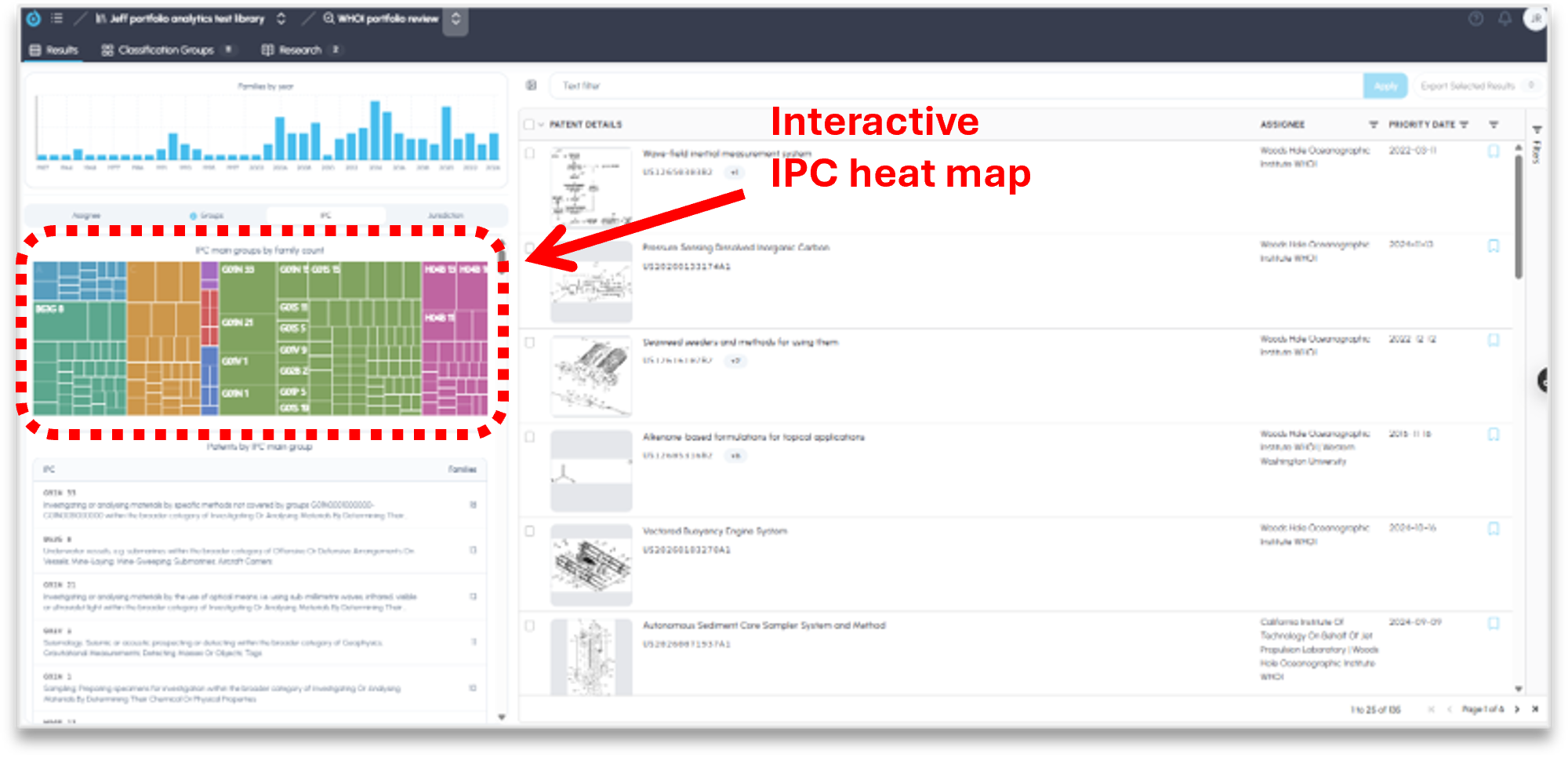
An IPC heat map is available alongside other embedded analytics
Portfolio classification groups and sub-clusters.
With this release, we have also improved the depth and accuracy of our AI generated group classifications. This unique feature analyzes a portfolio to identify the various sub-clusters of innovation areas that exist within the portfolio. This exposes areas of innovation density or where innovation has waned within the portfolio. When used for market analysis, this provides a quick and dependable breakdown of the innovation activity of an entire market segment or group of competitors.
As with utility searches, simply click on the Classification Groups tab at the top of the screen to view the sub-clusters. Clicking on any tile will expose the patents within the sub-cluster for analysis.
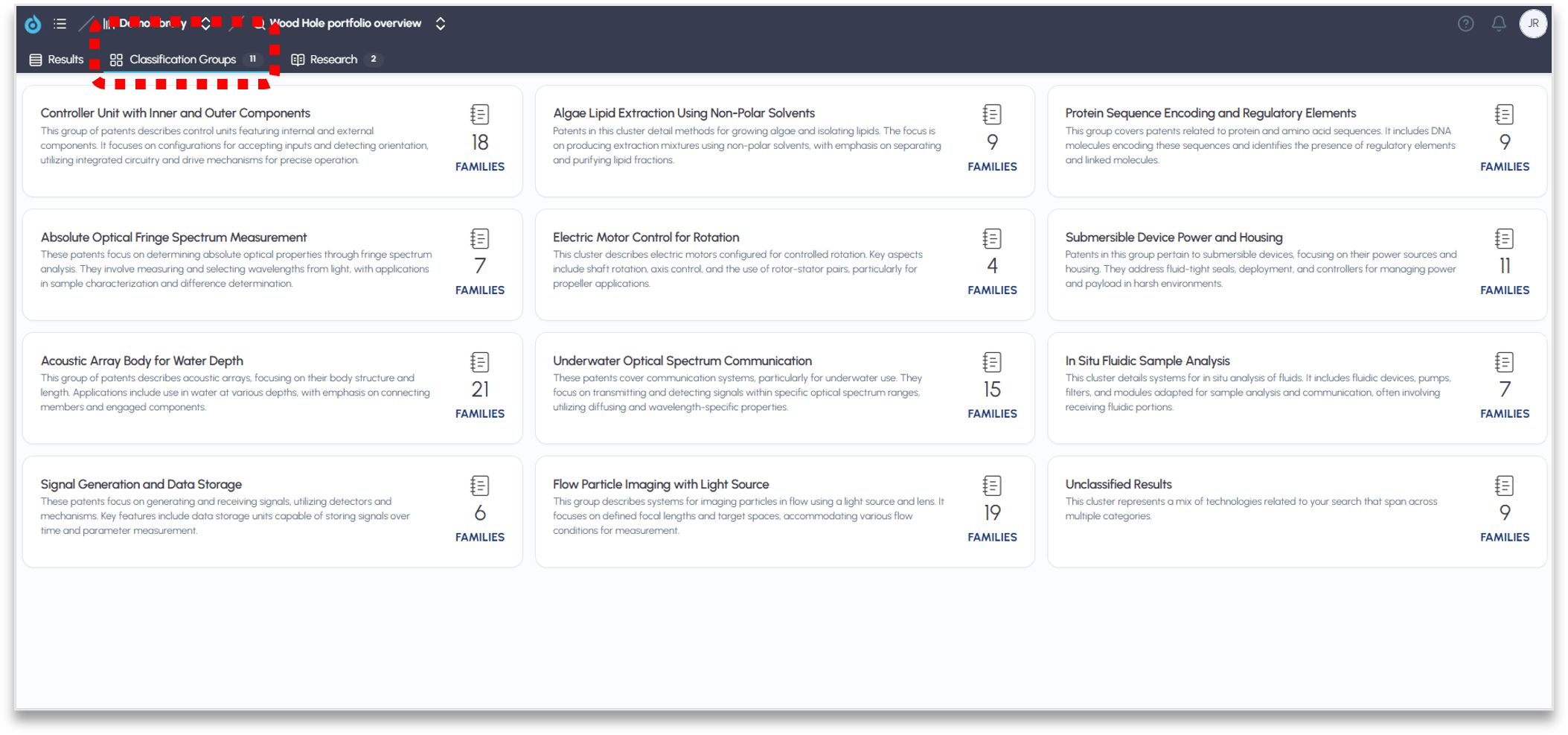
Sub-clusters break a portfolio down into their various focus areas.
Using the Deep Research Agent.
The deep research agent is accessible at anytime within a portfolio and accessible by clicking on the Research tab at the top of the screen. The core functionality of the deep research agent within the FluidityIQ platform has not changed. The agent is aware of the full text of the patents within your portfolio corpus and can be used to explore the portfolio in depth.
We have provided basic “starters” to help new users create quick reports to summarize the technology make up of a patent portfolio or to identify the strengths and potential gaps in the portfolio. Of course, there is a chat box at the bottom of the Research screen that allows the user to engage with the deep research agent directly to explore the portfolio in greater details when engaged in M&A activity, competitive or market intelligence, or trying to identify pruning opportunities.
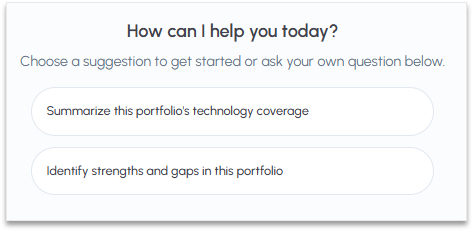
The deep research agent enables a deeper exploration of a portfolio
FluidityIQ portfolio analysis lets you define a portfolio directly, the way IP teams actually think about their own or a competitor's holdings. You can key in a list of patent numbers, upload a spreadsheet, or search and select by assignee. What you build is a first-class FluidityIQ workspace, which means the analytics and the agent you already use are waiting for it.
Please reach out to support@fluidityiq.com for more assistance on using the portfolio analytics features of FluidityIQ.